NOTION CALENDAR REDESIGN • IVEY PRODUCT SOCIETY 2026
Notion Calendar Redesign
Inline property display for Notion Calendar
The Challenge
Bridging the gap between Notion databases and Google Calendar
As a Product Fellow with the Ivey Product Society, I identified a core friction point in Notion's product ecosystem: despite its strength as a database-driven productivity tool, users had little incentive to abandon Google Calendar for its Notion counterpart because it felt completely disconnected from their existing Notion database workflows.
The Problem
Invisible database context and context-switching fatigue
Students and professionals live in Notion to track assignments, projects, and task databases. However, when opening Notion Calendar, event cards displayed no database context, meaning that critical database properties were hidden.
"I already live in Notion, but I haven’t switched from Google Calendar because it just doesn’t feel connected to the rest of my workflow the way I expected. – User Interview"
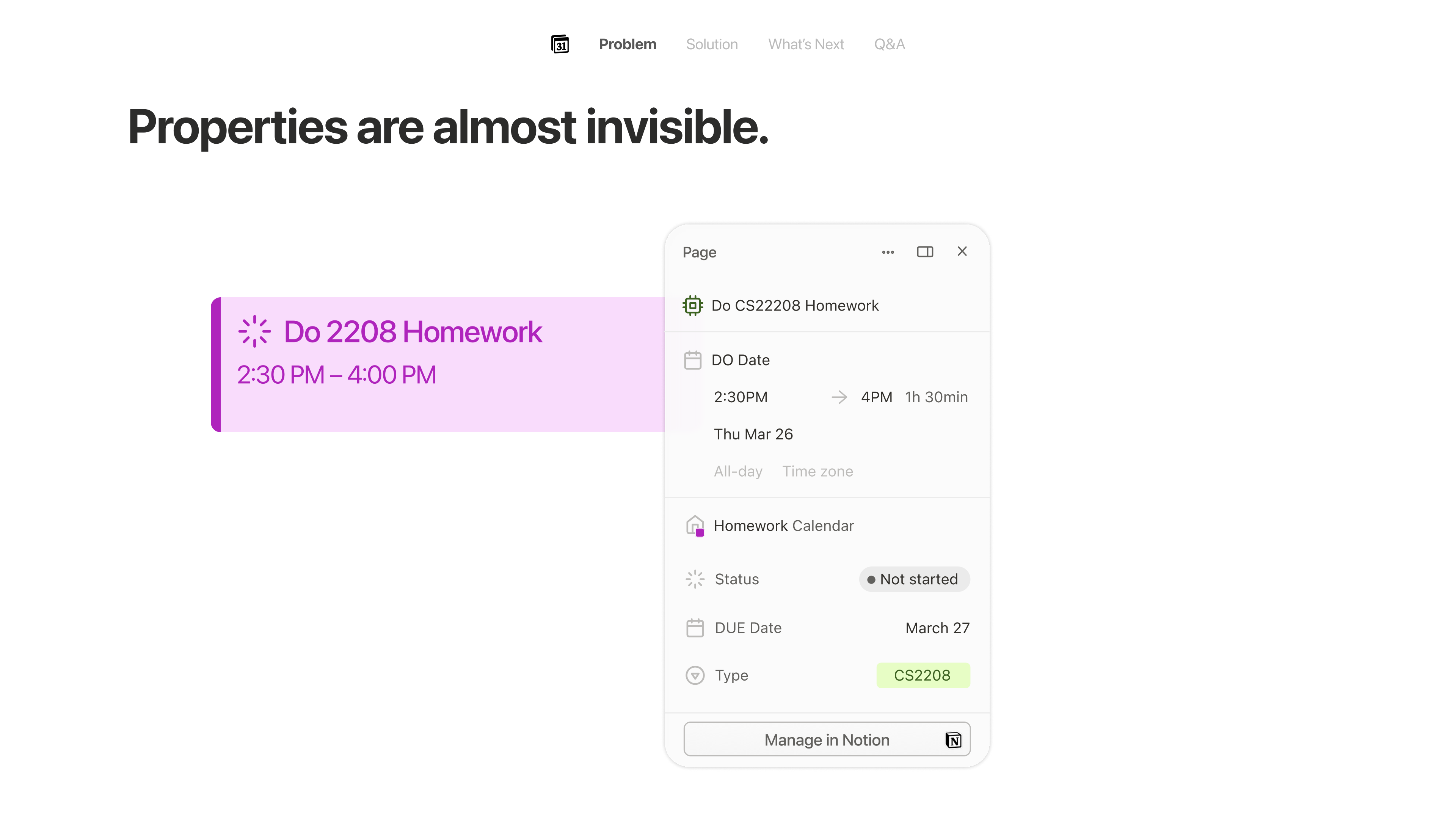 Seeing properties requires clicking into the event.
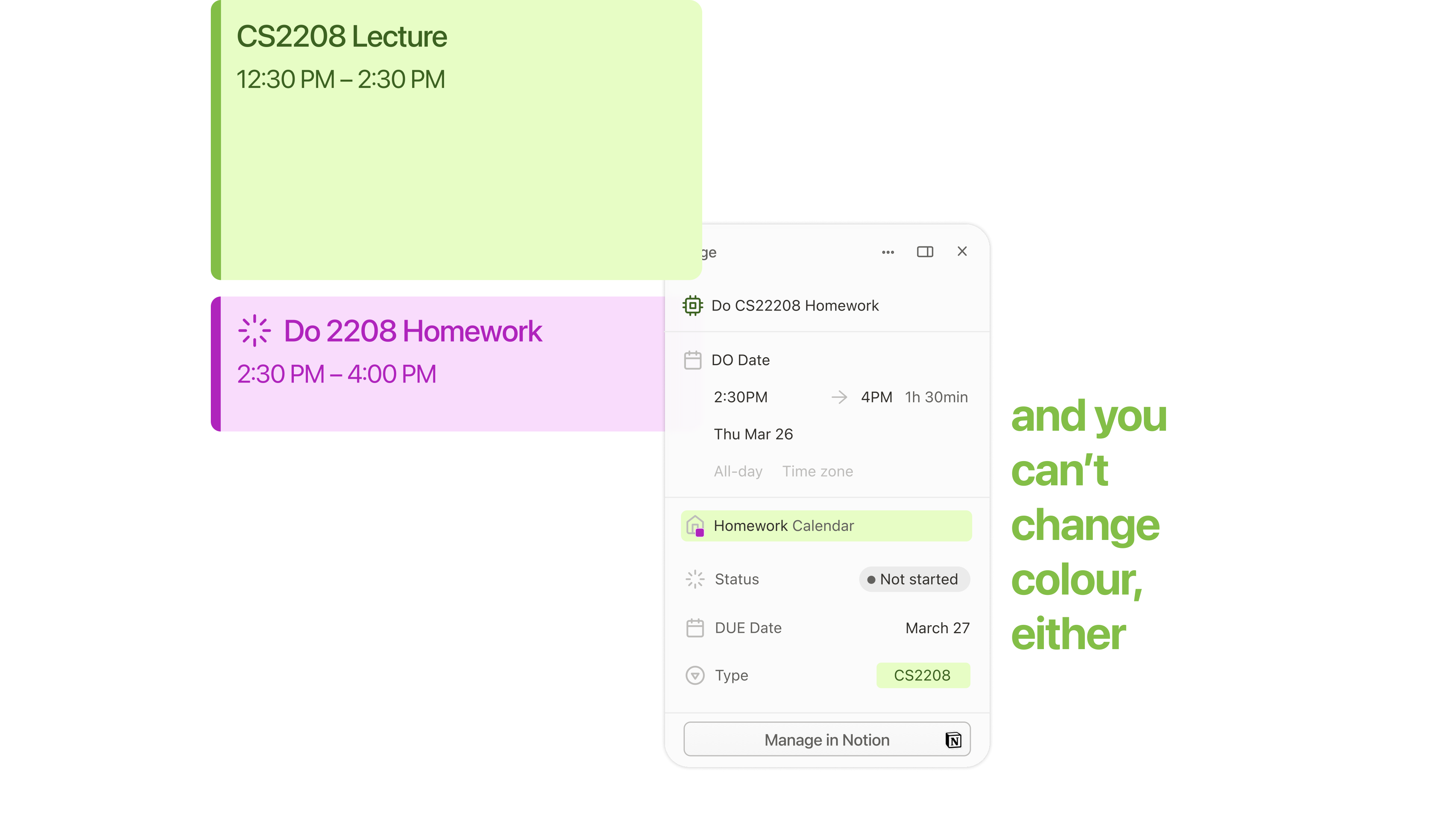 Because database colour is locked to the calendar source, visual hierarchy is limited.
MY Solution
Inline property display and property-based color coding
My PRD detailed two core feature enhancements designed to keep users inside Notion's ecosystem:
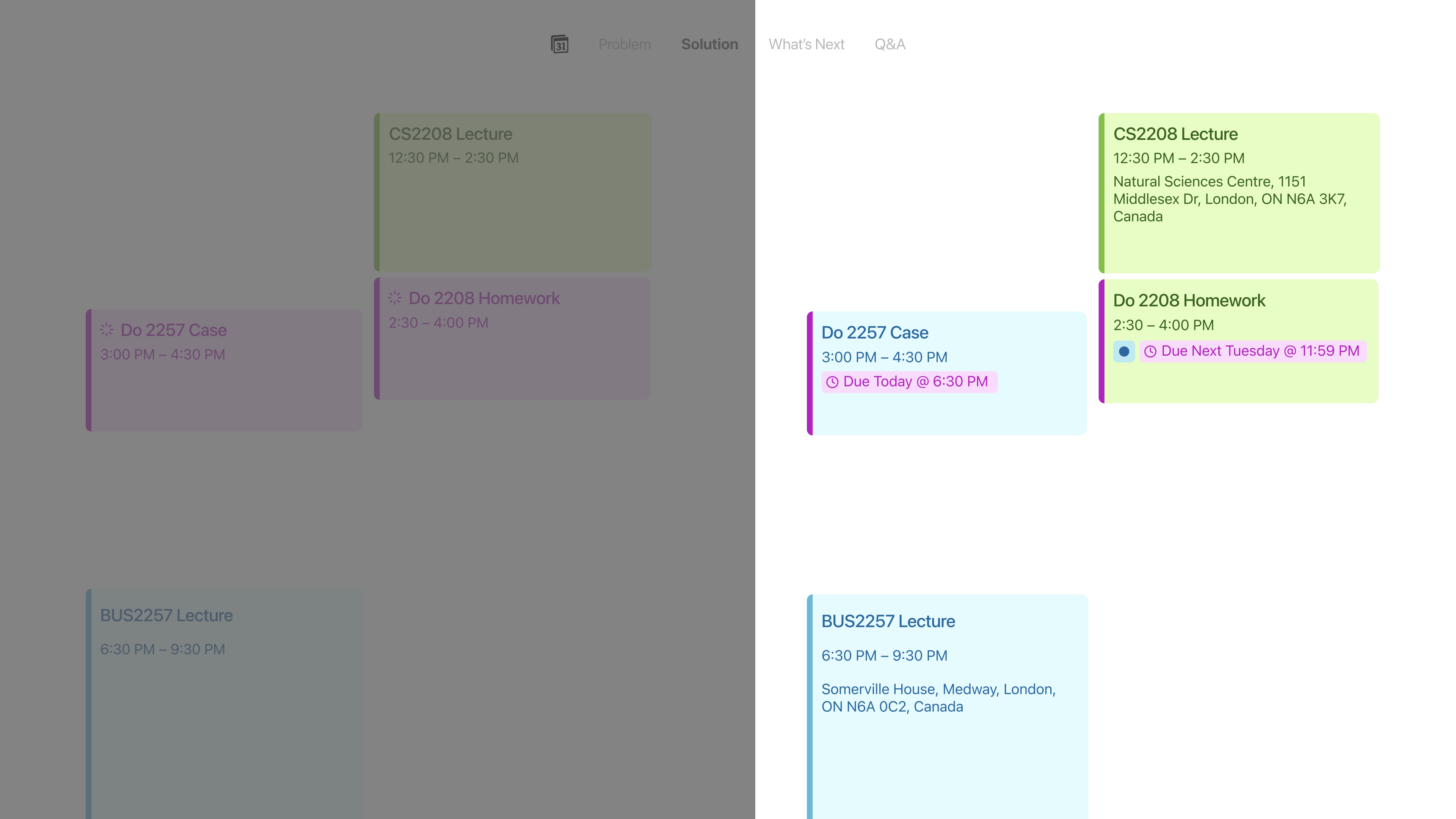 Before vs. After: Standard calendar cards (left) vs. Enhanced Inline Property Display & Color Coding (right).
1. Inline Database Property Display
Exposes selected database properties as visible badges directly on calendar event cards via a "Show on Calendar" toggle within the event detail panel.
2. Property-Based Colour Coding
Allows users to assign custom colors to property values (e.g. status, priority level, course code), replacing calendar-source color limitations.
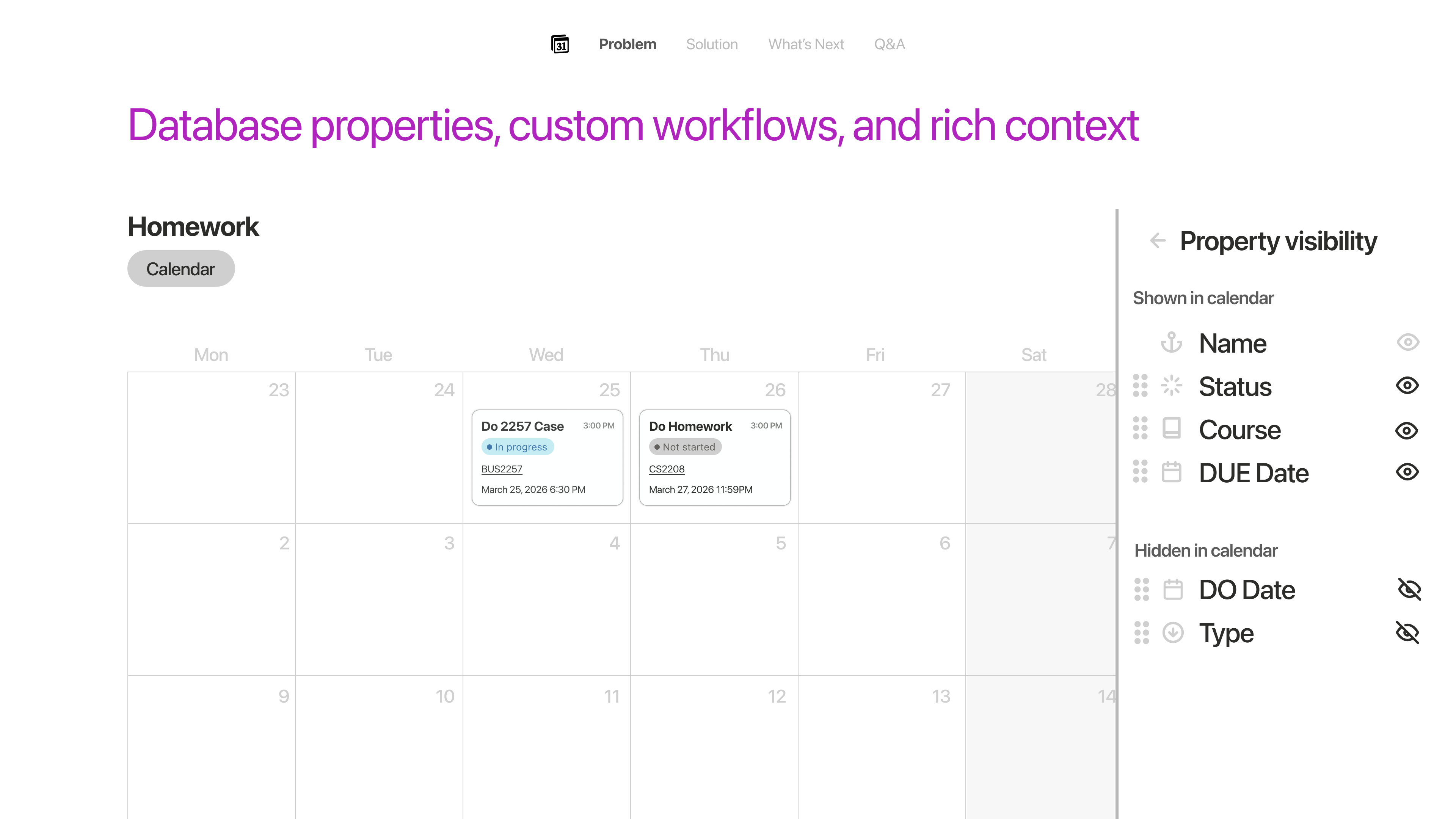 Sidebar: Customizing Shown vs. Hidden database properties
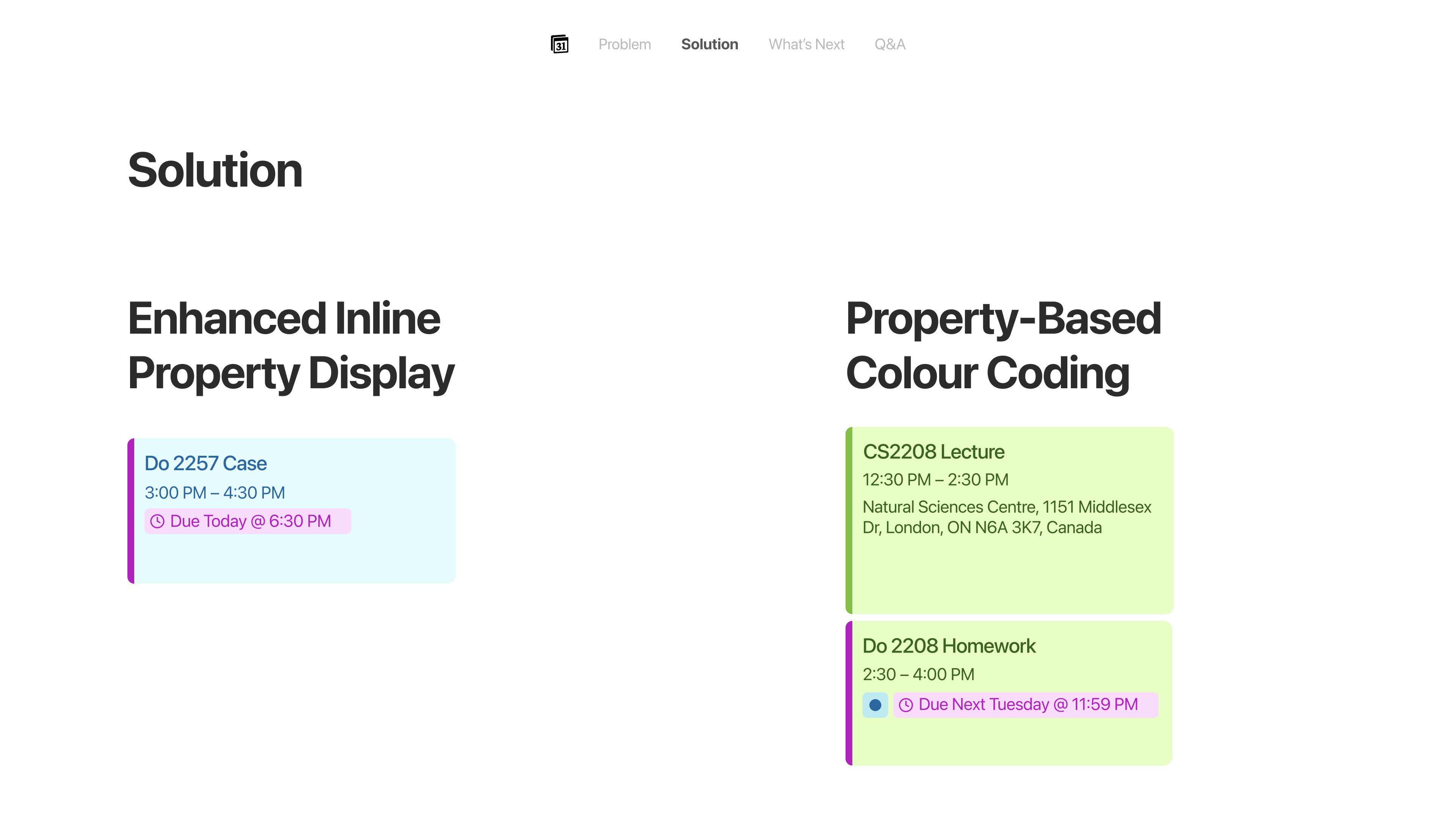 Calendar View: Inline status badges and property color coding
PRD Key User Flows
To ensure implementation feasibility without altering Notion's database backend, I mapped out the end-to-end logic for database-to-calendar surfacing and property color assignment:
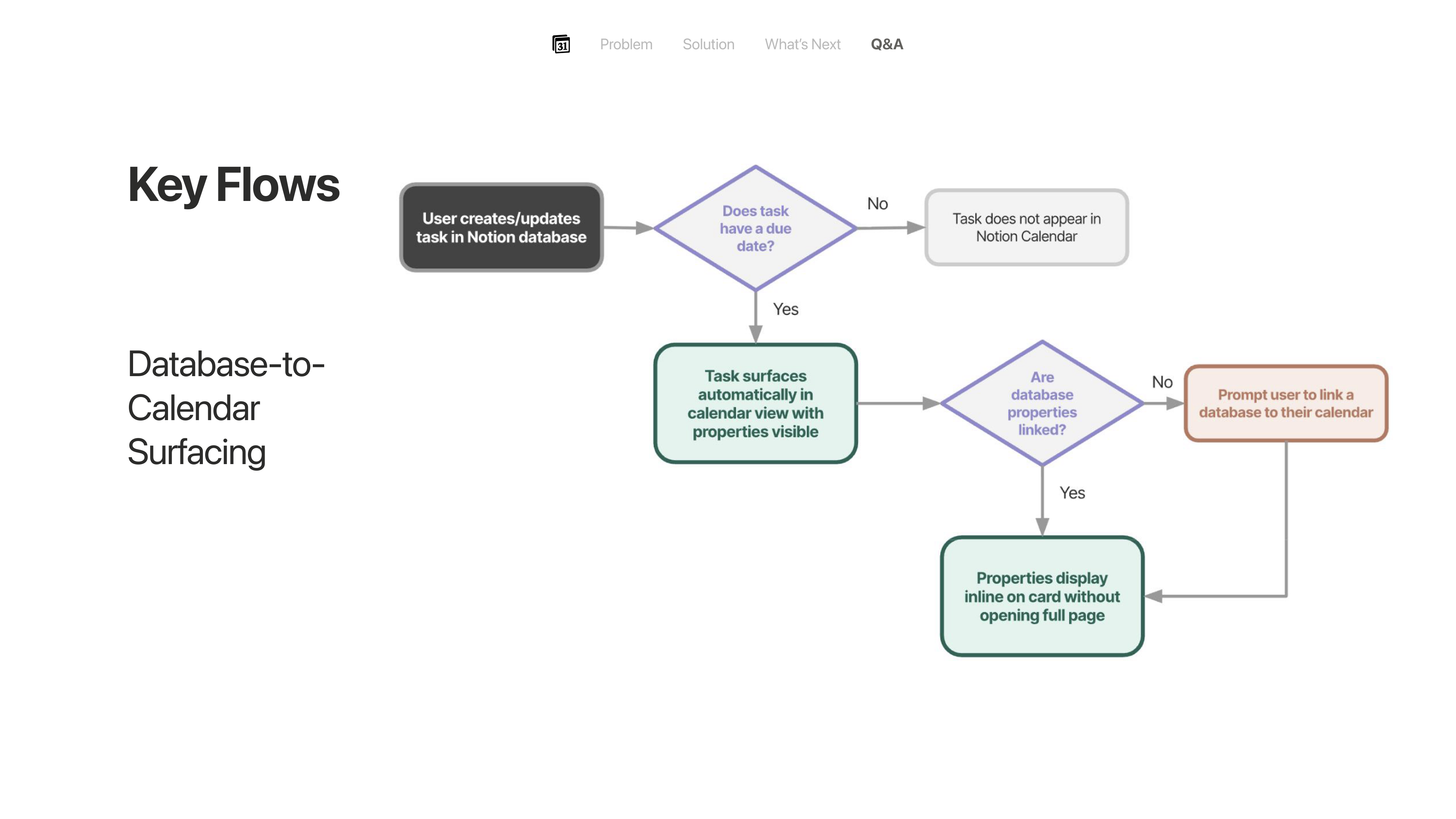 Flow 1: Database-to-Calendar Surfacing Logic
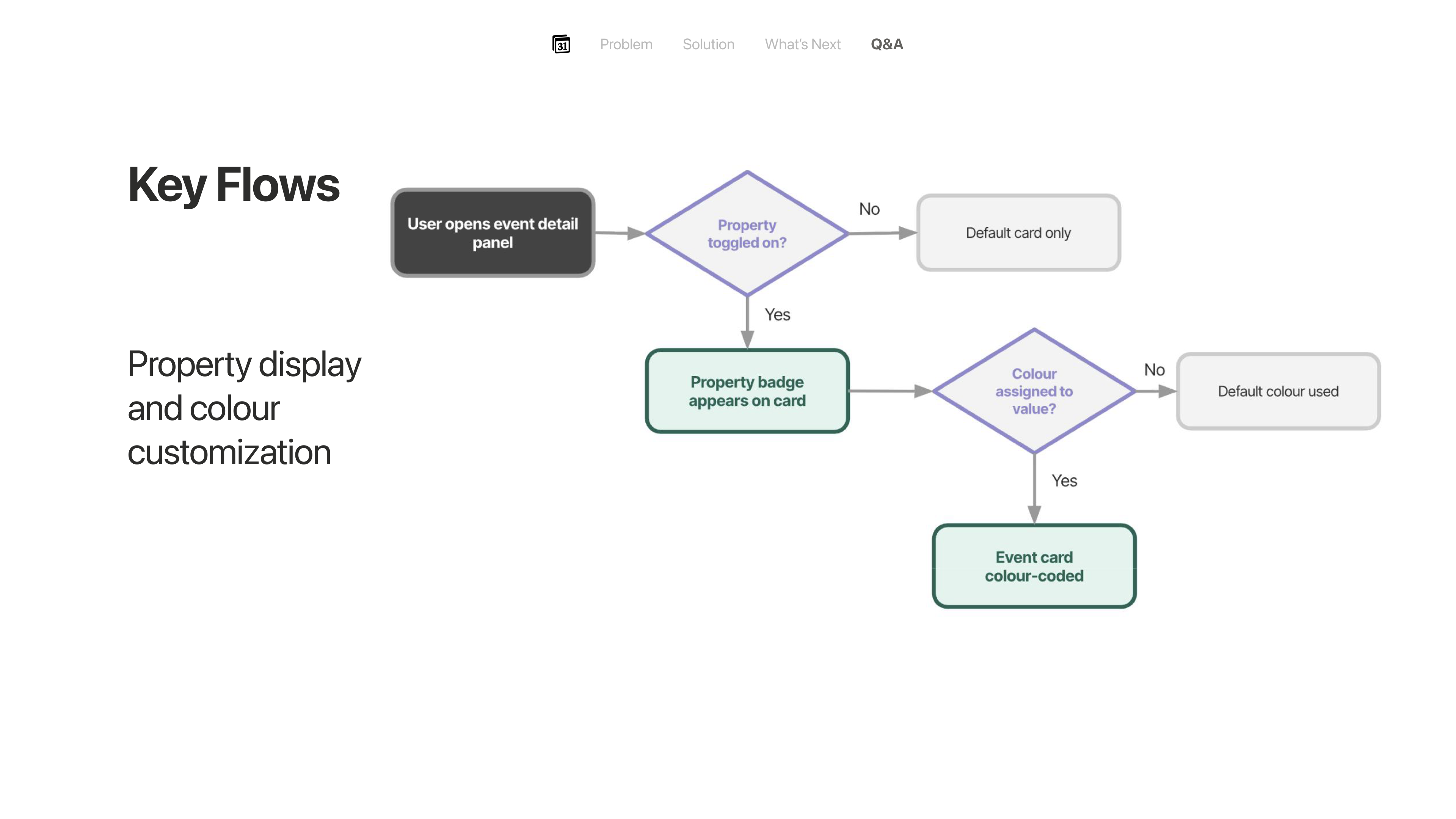 Flow 2: Property Display & Color Customization Logic
The Outcome
Full PRD delivered and pitched to industry professionals
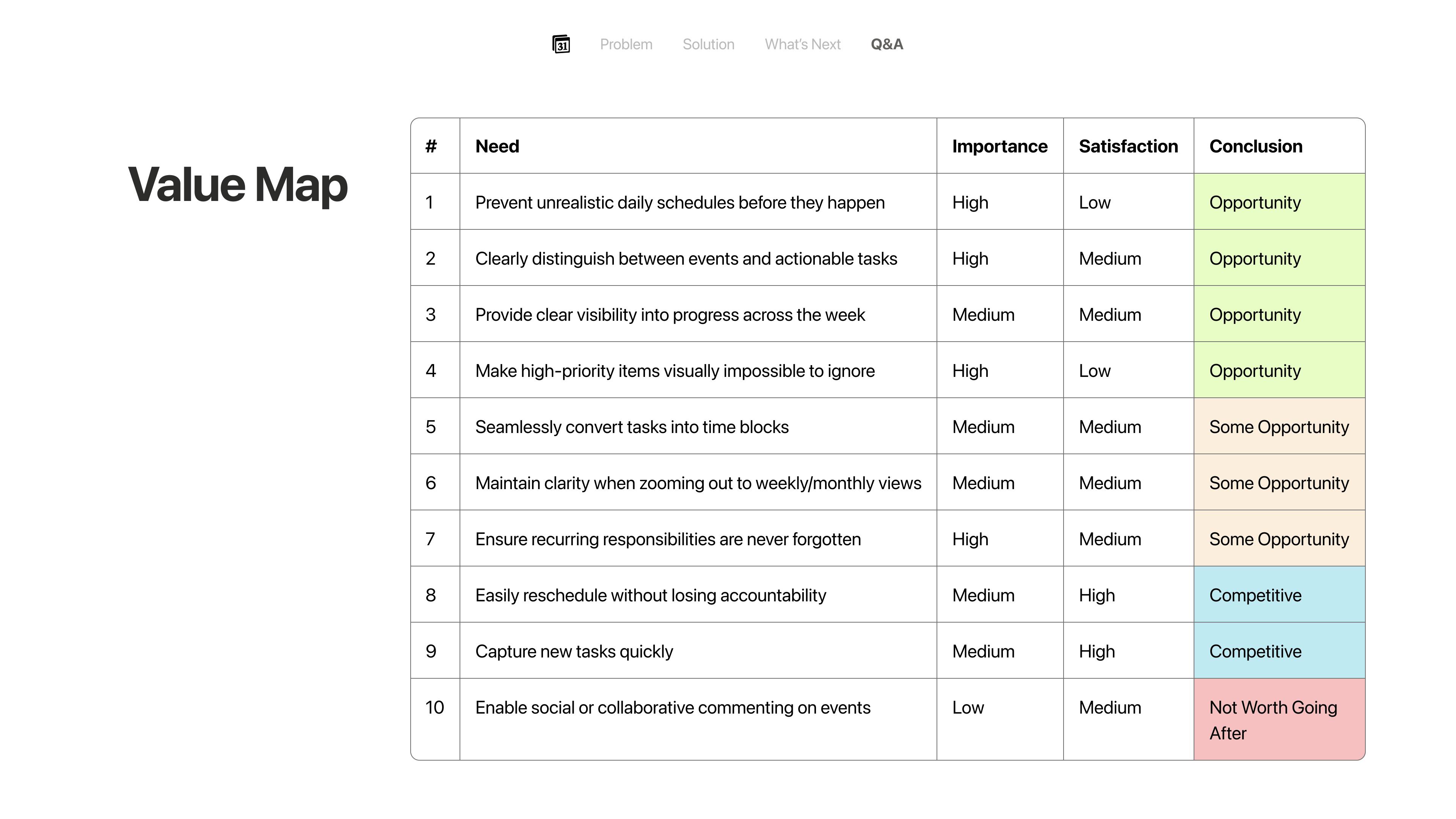 PRD Value Map: Customer Needs, Importance, Satisfaction & Opportunity Conclusions.
At the conclusion of the fellowship, I presented the concept during Ivey Product Society's Product Review Day, sharpening PM fundamentals in product requirement definition, user story mapping, and feature prioritization.